Original: $159.00
-70%$159.00
$47.70The Story
- Want a Non-Flex PCB? Try the MK exclusive Crush 80 Reboot Pro Non-Flex Edition!
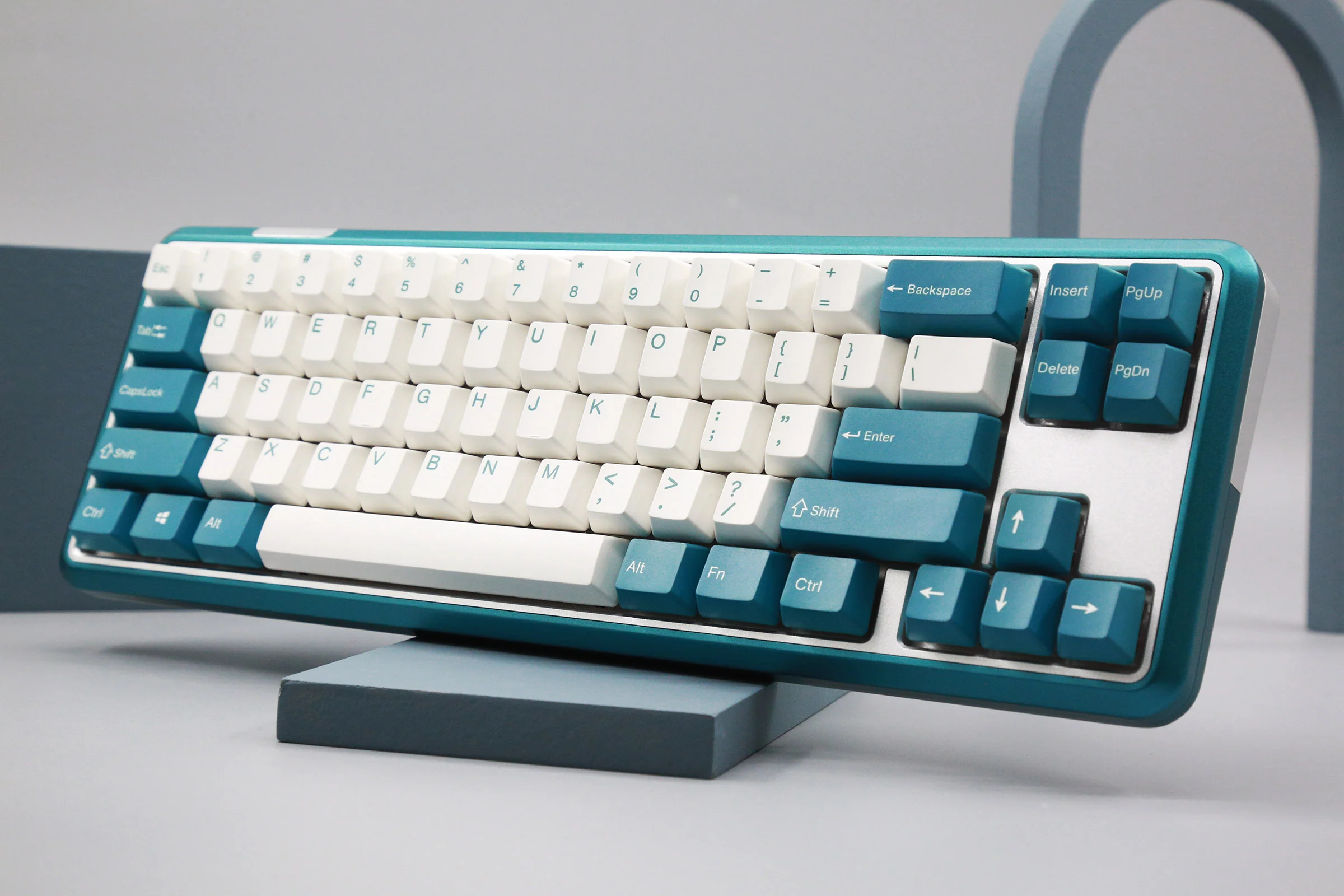
- CNC 6063 aluminum case with a ball-catch quick release design for a fast and toolless disassembly
- Magnetic POGO battery pin for connecting the battery and PCB for a wire-free configuration
- Connect 3 ways- wired with USB-C cable or wirelessly with Bluetooth 5.0 and 2.4 GHz
- Programmable with VIA
- Poron case foam layers with poron plate foam, PET switch film and IXPE switch pads for enhanced acoustics
- Side RGB and per-key programmable A-RGB
- Dye Sub Double Shot PBT keycaps
- Dedicated magnetic receiver storage on the backplate
- PCB layout supports split Spacebar / ISO / stepped CapsLock layouts
- 7500mAh battery
- WOB custom stabilizers and stainless steel WOB logo badge
- South facing Kailh Cocoa 45g switches
- Comes with a custom carrying case
- Black flex cut hotswap PCB with FR4 plate
Includes:
- custom carrying case
- 1* alternative flex cut aluminum plate
- 8* spare screws
- 4* case gaskets
- 2* silicone bumpers
- 2* silicone feet
- 1* cable
- 1* manual
- 1* cloth bag
- 1* switch puller
- 1* IXPE pad
Only install firmware if you are experiencing an issue. Installing incorrect firmware can damage the keyboard. Items damaged by installing incorrect firmware are not covered under our return or repair policy.
Download Firmware for Windows Below
Crush 80 Reboot Pro Firmware
Download JSON for VIA Below
Crush 80 Reboot Pro JSON
Crush 80 Reboot User Manual

Details & Craftsmanship
Every detail has been carefully considered to bring you the perfect product.

Details & Craftsmanship
Every detail has been carefully considered to bring you the perfect product.

Details & Craftsmanship
Every detail has been carefully considered to bring you the perfect product.

Details & Craftsmanship
Every detail has been carefully considered to bring you the perfect product.

Details & Craftsmanship
Every detail has been carefully considered to bring you the perfect product.

Details & Craftsmanship
Every detail has been carefully considered to bring you the perfect product.

Details & Craftsmanship
Every detail has been carefully considered to bring you the perfect product.

Details & Craftsmanship
Every detail has been carefully considered to bring you the perfect product.

Details & Craftsmanship
Every detail has been carefully considered to bring you the perfect product.

Details & Craftsmanship
Every detail has been carefully considered to bring you the perfect product.

Details & Craftsmanship
Every detail has been carefully considered to bring you the perfect product.

Details & Craftsmanship
Every detail has been carefully considered to bring you the perfect product.

Details & Craftsmanship
Every detail has been carefully considered to bring you the perfect product.

Details & Craftsmanship
Every detail has been carefully considered to bring you the perfect product.

Details & Craftsmanship
Every detail has been carefully considered to bring you the perfect product.

Details & Craftsmanship
Every detail has been carefully considered to bring you the perfect product.

Details & Craftsmanship
Every detail has been carefully considered to bring you the perfect product.

Details & Craftsmanship
Every detail has been carefully considered to bring you the perfect product.

Details & Craftsmanship
Every detail has been carefully considered to bring you the perfect product.

Details & Craftsmanship
Every detail has been carefully considered to bring you the perfect product.

Details & Craftsmanship
Every detail has been carefully considered to bring you the perfect product.

Details & Craftsmanship
Every detail has been carefully considered to bring you the perfect product.

Details & Craftsmanship
Every detail has been carefully considered to bring you the perfect product.

Details & Craftsmanship
Every detail has been carefully considered to bring you the perfect product.

Details & Craftsmanship
Every detail has been carefully considered to bring you the perfect product.

Details & Craftsmanship
Every detail has been carefully considered to bring you the perfect product.

Details & Craftsmanship
Every detail has been carefully considered to bring you the perfect product.

Details & Craftsmanship
Every detail has been carefully considered to bring you the perfect product.

Details & Craftsmanship
Every detail has been carefully considered to bring you the perfect product.
Description
- Want a Non-Flex PCB? Try the MK exclusive Crush 80 Reboot Pro Non-Flex Edition!
- CNC 6063 aluminum case with a ball-catch quick release design for a fast and toolless disassembly
- Magnetic POGO battery pin for connecting the battery and PCB for a wire-free configuration
- Connect 3 ways- wired with USB-C cable or wirelessly with Bluetooth 5.0 and 2.4 GHz
- Programmable with VIA
- Poron case foam layers with poron plate foam, PET switch film and IXPE switch pads for enhanced acoustics
- Side RGB and per-key programmable A-RGB
- Dye Sub Double Shot PBT keycaps
- Dedicated magnetic receiver storage on the backplate
- PCB layout supports split Spacebar / ISO / stepped CapsLock layouts
- 7500mAh battery
- WOB custom stabilizers and stainless steel WOB logo badge
- South facing Kailh Cocoa 45g switches
- Comes with a custom carrying case
- Black flex cut hotswap PCB with FR4 plate
Includes:
- custom carrying case
- 1* alternative flex cut aluminum plate
- 8* spare screws
- 4* case gaskets
- 2* silicone bumpers
- 2* silicone feet
- 1* cable
- 1* manual
- 1* cloth bag
- 1* switch puller
- 1* IXPE pad
Only install firmware if you are experiencing an issue. Installing incorrect firmware can damage the keyboard. Items damaged by installing incorrect firmware are not covered under our return or repair policy.
Download Firmware for Windows Below
Crush 80 Reboot Pro Firmware
Download JSON for VIA Below
Crush 80 Reboot Pro JSON
Crush 80 Reboot User Manual